
Financial Intelligence & Performance Insights
Monitor project financial performance with real-time visibility into hours, costs, revenue, and profitability across your organization.
Analyze project budgets, compare revisions, track cost deviations, and evaluate revenue performance to maintain financial control and support better decision-making.

The Challenge of Understanding Project Financial Performance
Without accurate financial insights, organizations struggle to evaluate project performance, understand cost deviations, and maintain control over budgets and profitability.
- Limited visibility into project cost and hours performance
- Difficulty analyzing budget revisions and financial impact
- Lack of detailed segment-level financial insights
- Challenges evaluating overall profitability across projects

Firmify provides advanced financial analysis tools that allow organizations to monitor project performance, analyze cost and hours distribution, compare budget revisions, and evaluate profitability across selected timeframes.
A Complete Financial Intelligence System
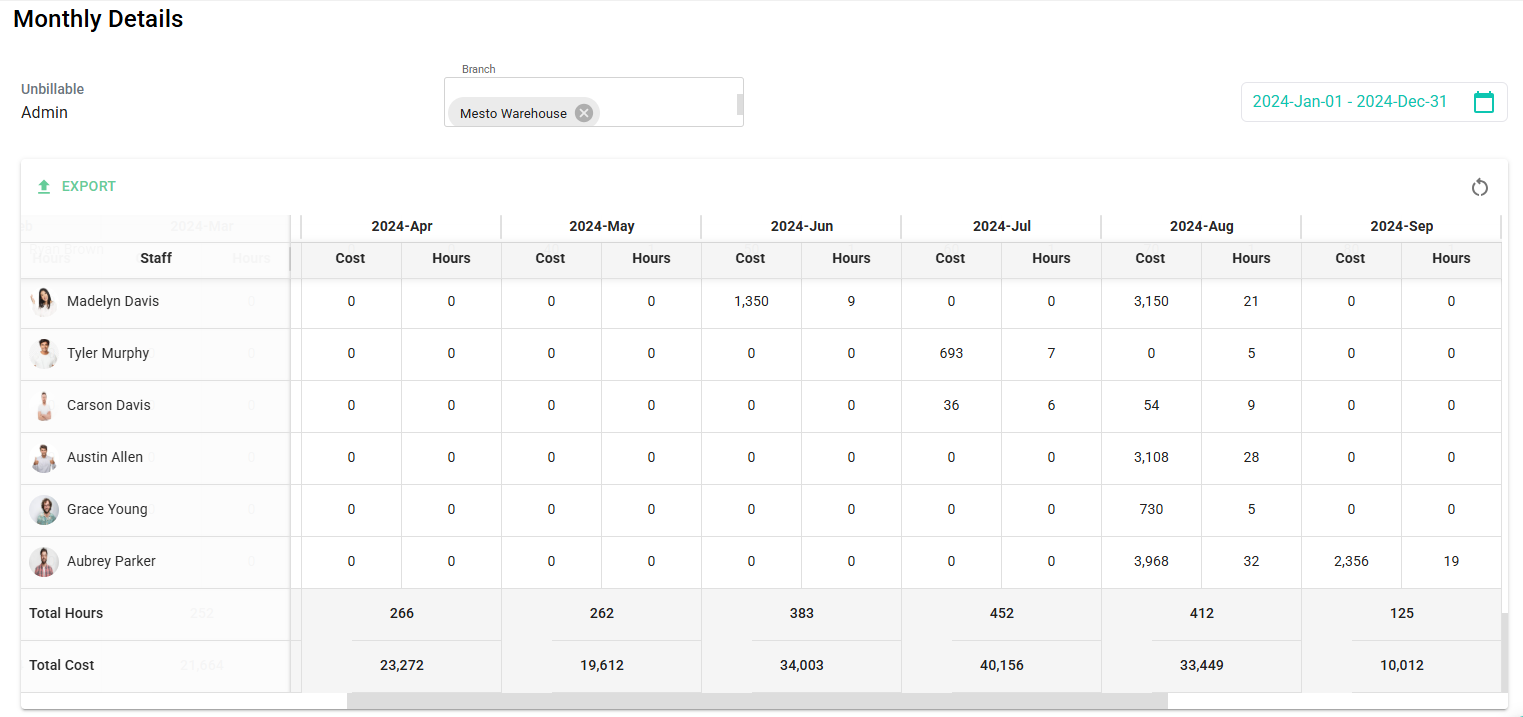
Gain full visibility into project financial performance through structured reporting tools designed to track costs, evaluate revenue, and analyze profitability.
Core Financial Intelligence Capabilities
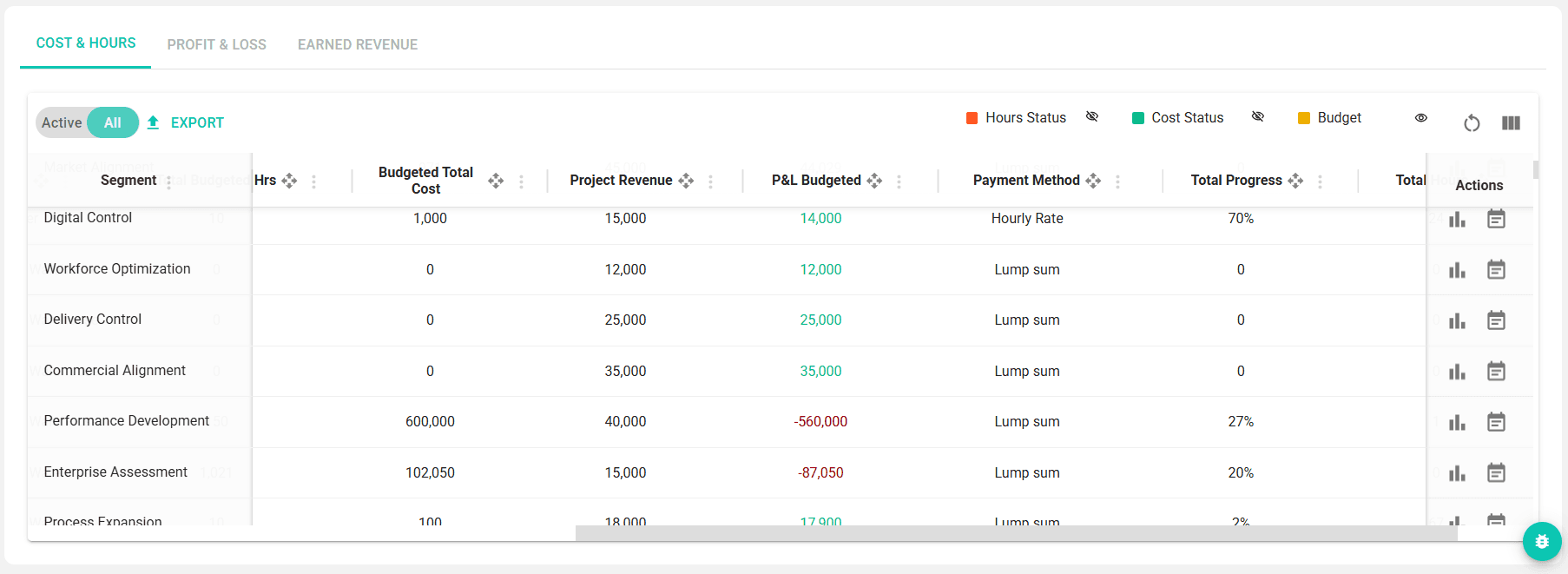

Cost & Hours Performance
Monitor real-time project performance
- Track actual hours spent on project work
- Monitor incurred project costs
- Identify deviations from approved budgets
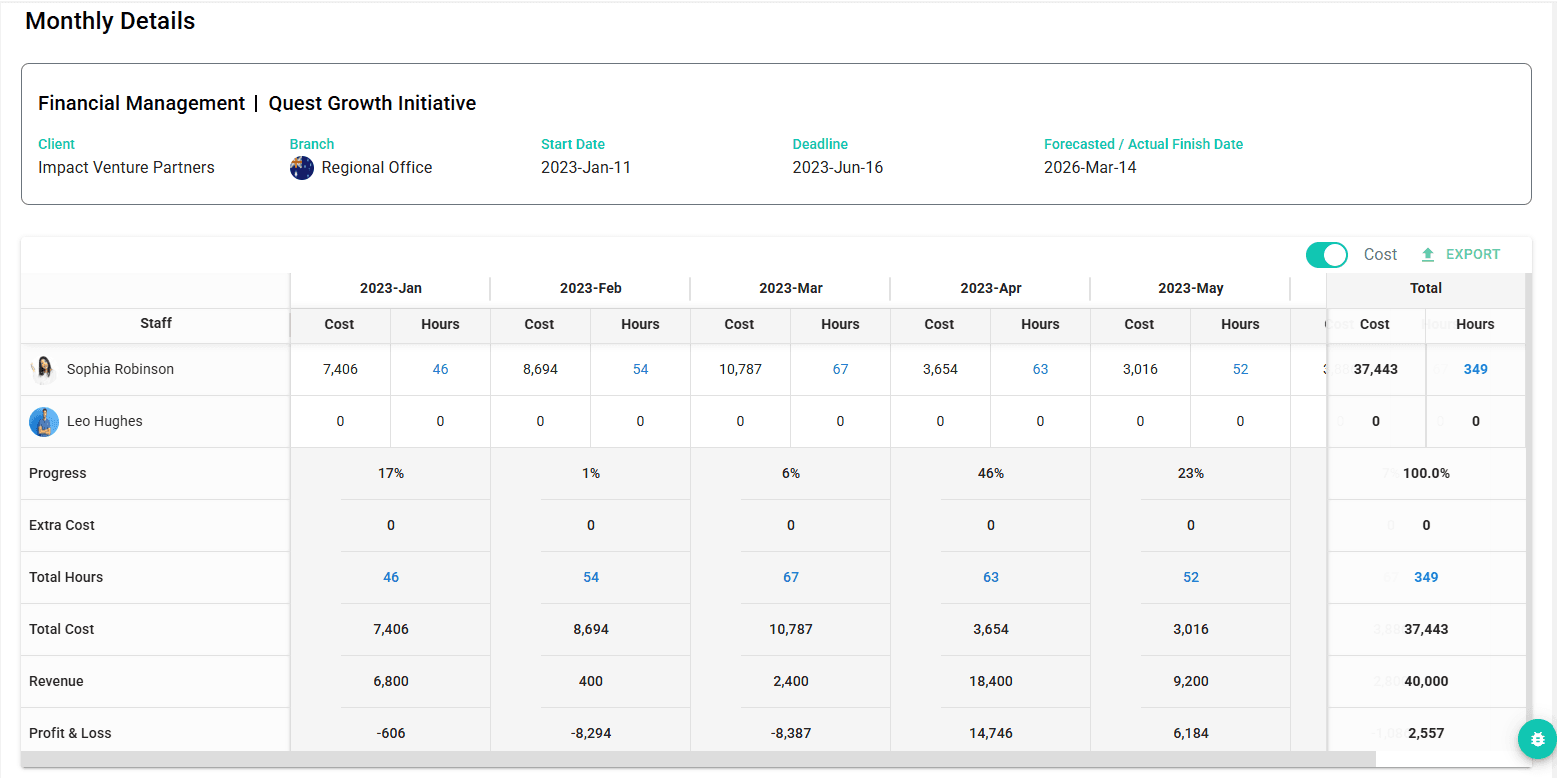

Segment-Level Financial Breakdown
Analyze financial performance by project segment
- Access detailed monthly reports for each segment
- Track hour and cost distribution over time
- Understand segment-level financial performance
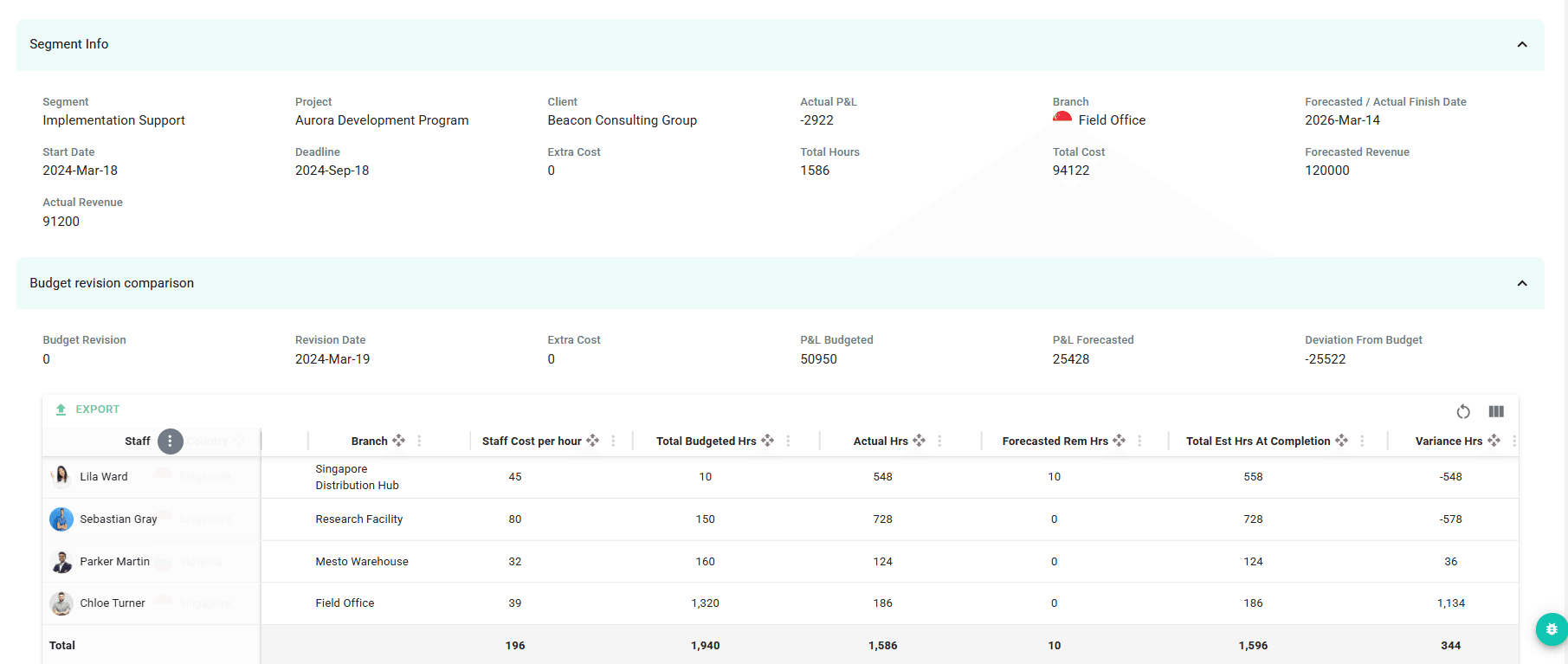

Budget Revision Comparison
Evaluate the impact of budget changes
- Compare multiple budget versions
- Analyze changes in resource allocation
- Maintain financial control across project adjustments
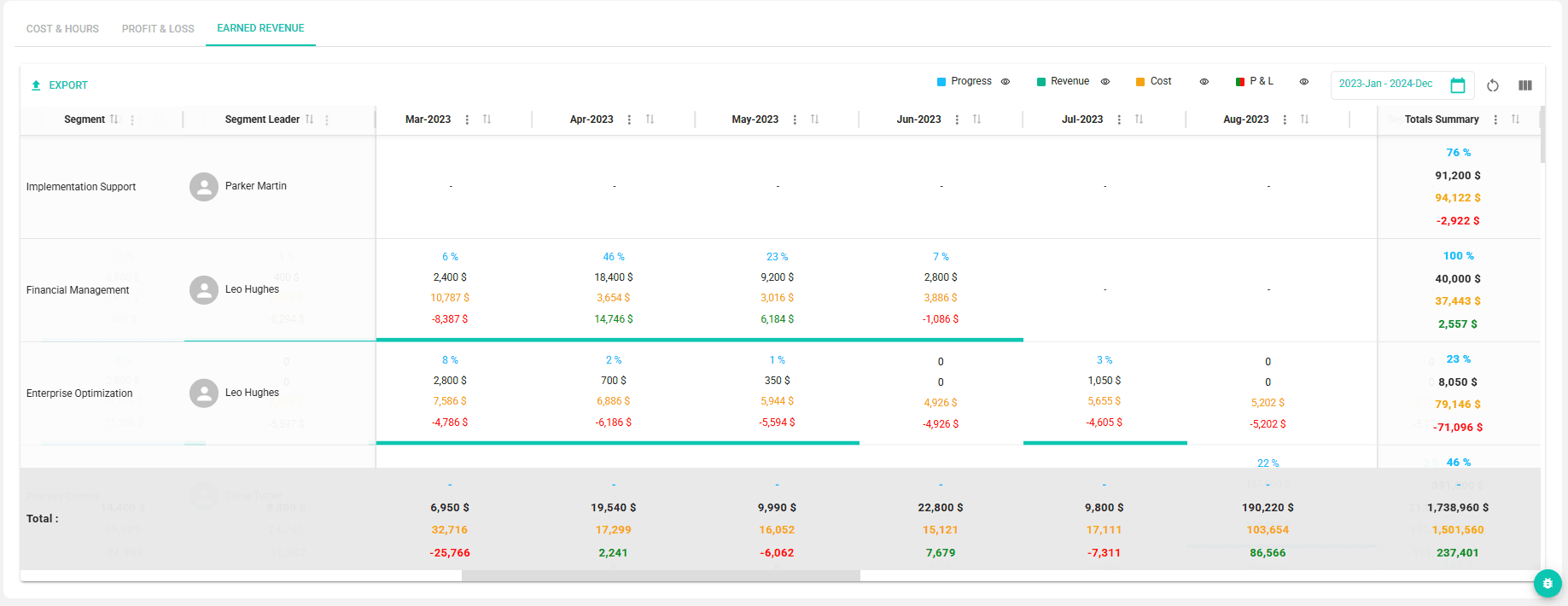

Earned Revenue Analysis
Measure revenue performance across projects
- Calculate generated revenue over selected timeframes
- Evaluate related project costs
- Assess project profitability and performance
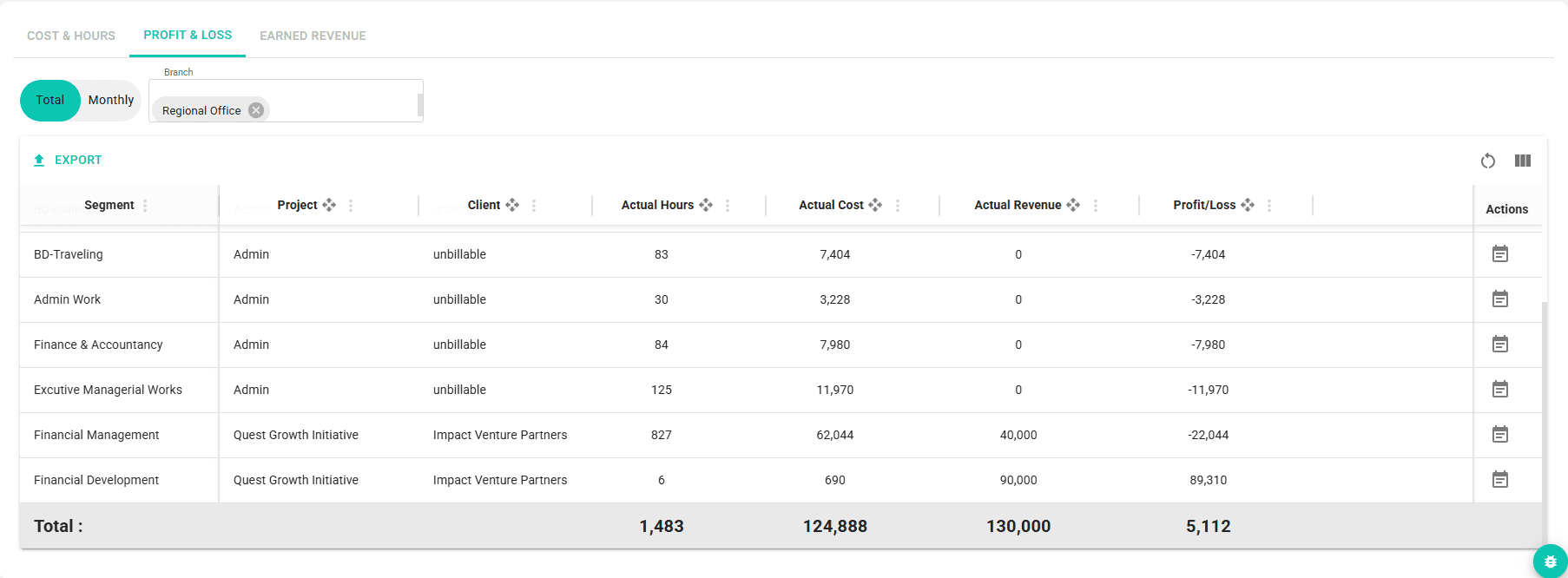

Profit & Loss Overview
View overall financial performance
- Monitor consolidated company revenue
- Track total operational and project costs
- Evaluate overall company profitability
Financial intelligence tools provide organizations with the insights needed to monitor project performance, control budgets, and evaluate profitability across operations.
Why Organizations Use Financial Intelligence

Financial Visibility
Understand how hours, costs, and revenue impact project performance.

Budget Control
Monitor budget deviations and evaluate financial adjustments.

Performance Analysis
Analyze financial results across projects and operational activities.

Strategic Decision Support
Provide leadership with accurate financial insights for better planning.
Find answers to common questions about tracking project costs, analyzing budget revisions, evaluating revenue performance, and understanding overall profitability within the system.
Financial Intelligence FAQs
The system tracks actual hours worked, associated project costs, and compares them with the budget to provide real-time financial performance insights.
Yes. Detailed reports allow organizations to review financial performance for each project segment, including the distribution of hours and costs over time.
Multiple budget versions can be compared to analyze changes in allocated hours, evaluate financial impact, and maintain control over project adjustments.
Earned revenue is calculated based on the segment’s contract payment type, ensuring that revenue reflects the actual commercial structure of the project. The system supports three calculation methods: Monthly Retainer Revenue is calculated based on the completion progress percentage recorded during the month, applied to the segment’s monthly contract value. Lump Sum Revenue is derived from the completion progress percentage of the segment, applied to the total contract value of the segment. Hourly Rate Revenue is calculated using the defined selling price per hour for each staff member assigned to the segment, multiplied by the actual hours logged by each staff member. This structure ensures that revenue calculations accurately reflect different project billing models.
The Profit & Loss overview consolidates revenue, total costs—including unbillable activities—and overall company profitability to provide a clear financial snapshot.

Turn Financial Data into Actionable Insights
Gain full visibility into project costs, revenue performance, and company profitability with advanced financial intelligence tools.